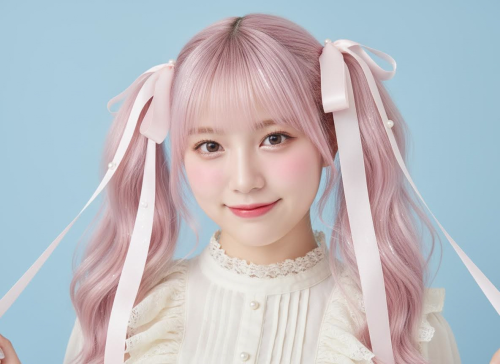
Photo-Based Virtual Hairstyle Try-On

Try New Hairstyle on Photo with AI – See Your Next Haircut Before You Commit

Upload your photo, describe the hairstyle you want, and generate realistic try-on previews in seconds. Test bangs, layers, curls, and hair colors with model, aspect ratio, and resolution controls.

Upload Your Photo
Clear selfie works best
Describe Cut + Color
Bangs, layers, curls, tone
Generate & Compare
Save the best try-on
Upload
0/10000
加载中...
nano-banana-v1-fast30 Credits
💡 Credits depend on the model you select and the number of images you generate.

Result Gallery

Auto-saved

No Creation Yet

Please submit the form to begin your new creation.

My Creations

Why Choose Imagens.app to Try New Hairstyles on Your Photo?

Imagens.app helps you try new hairstyle on photo with AI using an image-based workflow: upload your photo, describe the hairstyle you want, choose a model, and generate realistic variations. It is designed for fast decision-making—testing bangs vs. no bangs, short vs. long, straight vs. waves, and even hair color changes—without the anxiety of a real haircut. Because pricing is credit-based by model, you can explore with a cost-effective option first, then switch to higher quality for the version you actually want to save and share.

Photo-Based Hairstyle Try-On

See it on you.

Photo-Based Hairstyle Try-On

Upload a selfie and generate a new haircut or hair color while keeping your face recognizable and your photo’s vibe intact.
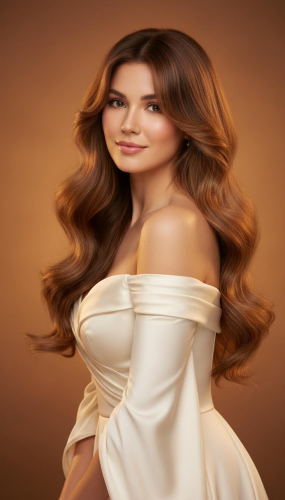
Haircut + Bangs + Color Variations

Decide with confidence.

Haircut + Bangs + Color Variations

Test bob, lob, pixie, long layers, curtain bangs, curls, and more—plus color options like ash brown or platinum—before you pay at the salon.
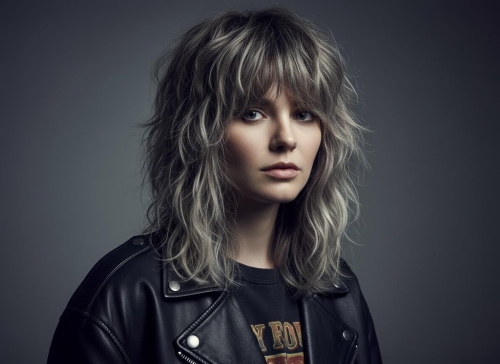
Model, Ratio, Resolution + Credit Control

Pay for what you use.

Model, Ratio, Resolution + Credit Control

Choose the AI model and output format you need. Different models cost different credits, so you can balance speed, realism, and budget per generation.

How to Try a New Hairstyle on Your Photo with AI

Three simple steps to generate realistic hairstyle try-on previews from your own photo.

1

Upload a Clear Photo

Use a front-facing selfie with good lighting and visible hairline. Clean backgrounds and minimal motion blur improve the try-on result.

2

Describe the Hairstyle You Want

Specify cut + bangs + length + texture + color (e.g., “French bob, curtain bangs, soft waves, ash brown”). Add “keep face unchanged, change hair only”.

3

Choose Model + Format, Then Generate

Pick the AI model, select aspect ratio and resolution, then click Generate. Compare variations, save favorites, and iterate with small prompt tweaks.

Create Your Sticker

About Imagens.app - AI Hairstyle Try-On from Your Photo

Imagens.app is built for people who want to try new hairstyle on photo with AI before making a real-life decision. Instead of guessing how bangs will frame your face or whether a short bob will feel “too short”, you upload your photo and generate realistic try-on previews. Use it to explore haircut shapes, hair textures, and hair color directions, then bring your favorite result to a stylist as a clear reference. The experience is simple: upload, describe, choose a model, and generate. Credits are deducted based on the model you select, so you can iterate cheaply and upgrade quality when you are ready to keep the final version.

Face-Preserving Try-On

Designed to keep identity consistent while changing hairstyle and color.

Style Exploration

Compare cuts, bangs, layers, curls, and tones with small prompt changes.

Format Controls

Choose aspect ratio and resolution for sharing, saving, or references.

Credit Transparency

Pick a model that matches your budget; credits scale with model choice.

Fast Decisions

Save favorites and move forward with confidence before salon time.

Key Features for AI Hairstyle Try-On

A practical, photo-based workflow built for realism, control, and repeatable results.

Realistic Hair Swap That Keeps Your Face

When you try new hairstyle on photo with AI, the deal-breaker is identity: you want the haircut to change, not your face. This workflow is optimized for “same person, new hair” results by encouraging a stable base photo and a precise prompt. Use phrases like “keep face unchanged, keep skin tone, keep background, same pose, change hair only” to reduce unwanted changes. Then describe the hairstyle like a stylist would: length (chin-length, collarbone, long), shape (French bob, layered shag, pixie), bangs (curtain, blunt, side-swept), texture (sleek straight, soft waves, loose curls), and color (natural black, chestnut, ash brown, platinum). The more specific you are about hair, the less you waste credits on rerolls—and the more “worth paying for” the try-on feels.
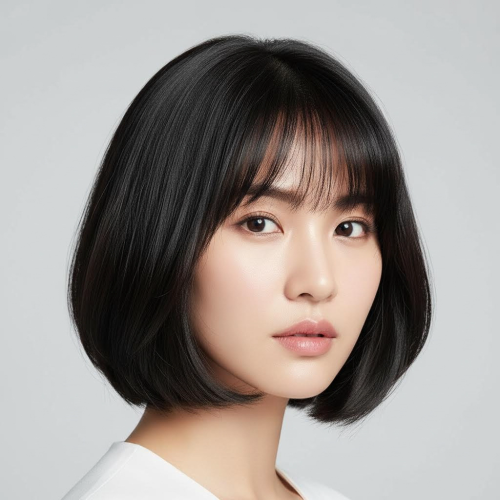
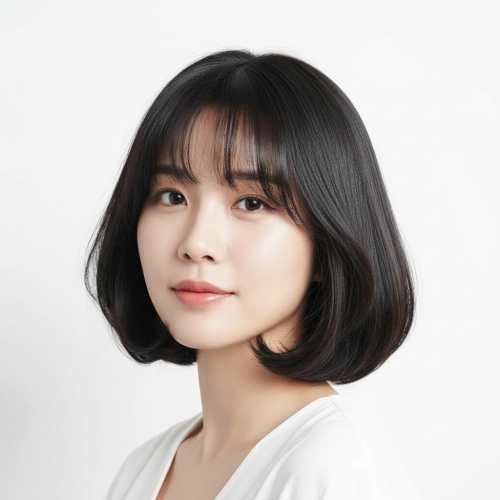
Realistic Hair Swap That Keeps Your Face
Model + Aspect Ratio + Resolution Controls for Better Decisions

Model + Aspect Ratio + Resolution Controls for Better Decisions

Hairstyle try-on is not one-size-fits-all. Sometimes you want a quick, low-cost preview to see if bangs fit your face shape; other times you want a high-detail, salon-ready reference you can show to your stylist. That is why this page lets you choose the AI model and output format before you generate. Use a cost-effective model to explore direction fast, then switch to a higher-quality model when you are ready to save a final look. Aspect ratio matters too: choose 1:1 for profile pictures, 3:4 or 9:16 for social posts, and 16:9 for wide comparisons. Resolution impacts strand detail and edge clarity around hairlines. Combined, these controls help you spend credits intentionally instead of guessing.

Performance for Fast Try-On

Quick iterations so you can compare styles without friction.

~ 30-90sGeneration Time
Model · Ratio · ResolutionControls
10k+Creators

Frequently Asked Questions

Common questions about trying new hairstyles on your photo with AI.

What does “try new hairstyle on photo with AI” mean?
It means you upload a real photo (usually a selfie) and use AI to generate a new hairstyle on that same photo. The goal is a believable preview: the face stays recognizable, while hair length, bangs, texture, and color change. This is different from a text-to-image hairstyle generator, which creates a new person from scratch. Here, the output is most useful for decisions: “Do curtain bangs suit me?”, “Is a French bob too short?”, “Does ash brown work with my skin tone?” You can generate multiple variations and keep the best ones as references before you spend money at the salon.
What kind of photo works best for hairstyle try-on?
Use a clear, front-facing photo with good lighting and a visible hairline. Avoid heavy motion blur, extreme angles, sunglasses, or hair covering most of the face. A clean background helps the model separate hair edges from the environment, which improves realism around the hairline and shoulders. If you want to test bangs, make sure your forehead is visible in the original photo. If you want to test long hair, include enough neck/shoulder area so the generated hair has space to “sit” naturally. Better input photos usually mean fewer retries and fewer wasted credits.
How do I write a prompt for consistent results?
Treat your prompt like a stylist brief. Start with “Use the uploaded photo as the base. Keep face unchanged, same pose, same background, change hair only.” Then describe haircut structure: length (chin-length bob, collarbone lob, long layers), shape (blunt, rounded, layered), bangs (curtain, blunt, side-swept), texture (sleek straight, soft waves, loose curls), and color (natural black, chestnut brown, ash blonde). If you want realism, add “soft studio lighting, realistic hair strands, clean edges.” Keep the prompt stable and change only one hair element at a time when iterating.
Can I try different hair colors as well as haircuts?
Yes. Add hair color and highlight instructions to your prompt: “dark chocolate brown”, “ash blonde”, “platinum”, “copper”, “balayage highlights”, or “money piece”. For the most believable color try-on, keep lighting consistent (e.g., “soft natural light” or “soft studio light”) and avoid mixing too many style words. If the hair looks too saturated, add “natural tones” or “subtle highlights”. Color changes are often easier than complex haircut changes, so it can be cost-effective to decide color first, then move to cut and bangs.
Will it keep my face the same?
The tool is designed for face-preserving try-on, but it is still AI and results can vary. You can improve identity consistency by using a clear photo, keeping the prompt focused, and explicitly telling the model to keep facial features unchanged. Avoid adding unrelated changes like “make me look younger” or “change makeup,” because that increases the chance your identity shifts. If you see face drift, regenerate with a simpler prompt: “keep face unchanged, change hair only, realistic portrait.” Switching to a higher-quality model can also reduce artifacts around hairline and facial contours.
Which AI model should I choose (e.g., nano-banana-pro)?
Different models trade off speed, cost, and realism. A good workflow is to start with a cost-effective model to explore direction: try 2–3 cuts and 2–3 colors until you find what you like. Then switch to a higher-quality model for the final image you plan to save or show your stylist. Higher-quality models typically render hair strands, edges, and blending more cleanly (especially around bangs and hairline). Because credits are deducted based on the model you select, this approach keeps your budget predictable while still letting you get a premium-looking final result.
Can I control aspect ratio and resolution?
Yes. Aspect ratio affects composition: 1:1 works well for avatars; 3:4 or 9:16 is great for portrait try-on and social posts; 16:9 is useful for wide comparisons or banners. Resolution affects detail, especially for hair strands, shine, and edge clarity around the hairline. A practical strategy is to generate at a moderate resolution while exploring, then increase resolution for the final version once the haircut direction is correct. This reduces wasted credits and gives you a sharper, more share-ready result when you are done.
Is it free? How does pricing work?
This tool is credit-based and not unlimited free. Each generation deducts credits based on the AI model you choose, and higher-quality models generally cost more credits. If you want to spend less, explore with a cheaper model and a moderate resolution until you are happy with the haircut and color direction, then upgrade for the final generation. This workflow usually feels most “worth paying for” because you avoid repeating expensive generations. Your credit usage stays clear: model choice is the main driver of cost, and you decide how many variations to generate.
Can I use it for men, women, and different hair types?
Yes. You can try new hairstyles on photos for all genders and many hair types. The key is to describe the hair texture you want: straight, wavy, loose curls, tight curls, coily, or textured. Also specify the haircut vocabulary that matches your goal: taper fade, undercut, textured crop, curtain fringe, long layers, bob, lob, etc. If your hair type is curly or coily, include “natural curl pattern” or “defined curls” to keep the result believable. The clearer your photo and prompt, the better the try-on will match your expectations.
How do I improve results if the hairline looks weird?
Hairline artifacts usually come from poor separation between hair and background or from too many changes at once. Use a clearer photo, simplify the prompt, and explicitly request clean edges: “realistic hairline, clean silhouette, sharp focus on hair strands.” Avoid complicated accessories and busy backgrounds. If bangs look unnatural, specify bangs type and thickness (“light curtain bangs, wispy”). If color looks off, ask for “natural tones” and consistent lighting. Finally, try a higher-quality model and a higher resolution for the final pass—hair edges tend to improve with fidelity.

Still have questions? Contact us at resend0@foxmail.com

User Reviews

What users are saying about our AI hairstyle try-on.

"Curtain bangs looked better than I expected. The face stayed consistent across tries."

Emma Johnson
Hairstyle Enthusiast

"Great for testing a fade vs. longer top. Quick iterations without salon stress."

Liam Carter
Creator

"I tried three colors before committing. Ash brown was the winner."

Sophia Martinez
Student

"The before/after feel is real enough to make decisions. Worth the credits."

Noah Wilson
Content Creator

"French bob + bangs prompt worked on the first run. Hairline stayed clean."

Ava Brown
Beauty Blogger

"Helped me explain what I wanted at the barber. Saved me from a bad cut."

Ethan Lee
Barber Client

"Simple flow: upload, describe hair, generate. The control options are practical."

Mia Davis
Product Manager

"Hair texture looks surprisingly detailed at higher resolution."

Lucas Rossi
Designer

"Curtain bangs looked better than I expected. The face stayed consistent across tries."

Emma Johnson
Hairstyle Enthusiast

"Great for testing a fade vs. longer top. Quick iterations without salon stress."

Liam Carter
Creator

"I tried three colors before committing. Ash brown was the winner."

Sophia Martinez
Student

"The before/after feel is real enough to make decisions. Worth the credits."

Noah Wilson
Content Creator

"French bob + bangs prompt worked on the first run. Hairline stayed clean."

Ava Brown
Beauty Blogger

"Helped me explain what I wanted at the barber. Saved me from a bad cut."

Ethan Lee
Barber Client

"Simple flow: upload, describe hair, generate. The control options are practical."

Mia Davis
Product Manager

"Hair texture looks surprisingly detailed at higher resolution."

Lucas Rossi
Designer

"I brought the result to my stylist and we matched it closely."

Chloe Taylor
Salon Client

"Trying bangs at home felt safer than guessing. Great confidence boost."

Daniel Kim
Remote Worker

"Clean backgrounds really help. With a good selfie, results look premium."

Isabella Moore
Photographer

"I used it to pick a new look for profile photos. Fast and consistent."

Oliver Anderson
Marketing

"Clients can communicate their target style better with these try-on previews."

Grace Liu
Hairstylist

"Credit pricing feels fair because I can explore cheap and upgrade later."

Henry White
Engineer

"Wavy lob + balayage looks realistic. I’m actually booking my appointment now."

Zoe Nguyen
Fashion Creator

"I brought the result to my stylist and we matched it closely."

Chloe Taylor
Salon Client

"Trying bangs at home felt safer than guessing. Great confidence boost."

Daniel Kim
Remote Worker

"Clean backgrounds really help. With a good selfie, results look premium."

Isabella Moore
Photographer

"I used it to pick a new look for profile photos. Fast and consistent."

Oliver Anderson
Marketing

"Clients can communicate their target style better with these try-on previews."

Grace Liu
Hairstylist

"Credit pricing feels fair because I can explore cheap and upgrade later."

Henry White
Engineer

"Wavy lob + balayage looks realistic. I’m actually booking my appointment now."

Zoe Nguyen
Fashion Creator
✨ New Look, Less Risk

Try aNew Hairstyle on Your Photo

Upload one selfie, test multiple cuts and colors, and save the version you actually want to show your stylist.

Photo-based try-on · Credit-based pricing · Model / ratio / resolution controls