Seamless fixes.
Damage Repair
Automatically detect and fill scratches, tears, and dust marks without losing original details.
Our old photo restoration online tool instantly repairs damage, colorizes black and white photos, and upscales them to 4K. Upload a scan, choose Repair / Colorize / Enhance, and generate a result that looks natural — not over-smoothed.
Preserving history is delicate work. Our old photo restoration online workflow is built for real scans: scratches, dust, fading, blur, and low resolution. We use nano-banana-pro class models to preserve identity, keep textures natural, and make colorization look believable rather than random.
Seamless fixes.
Automatically detect and fill scratches, tears, and dust marks without losing original details.

Vibrant memories.
Breath new life into black and white photos with deep learning algorithms that predict accurate colors.
Clear portraits.
Recover facial details from blurry or low-resolution originals using advanced face restoration models.
Three simple steps to save your precious memories from the ravages of time.
Upload your scanned old photograph. We support JPG, PNG, and WebP formats.
Choose your restoration model (Repair, Colorize, Enhance) and set your output resolution.
Click Generate and let our AI do the work. Preview the result and download your restored image.
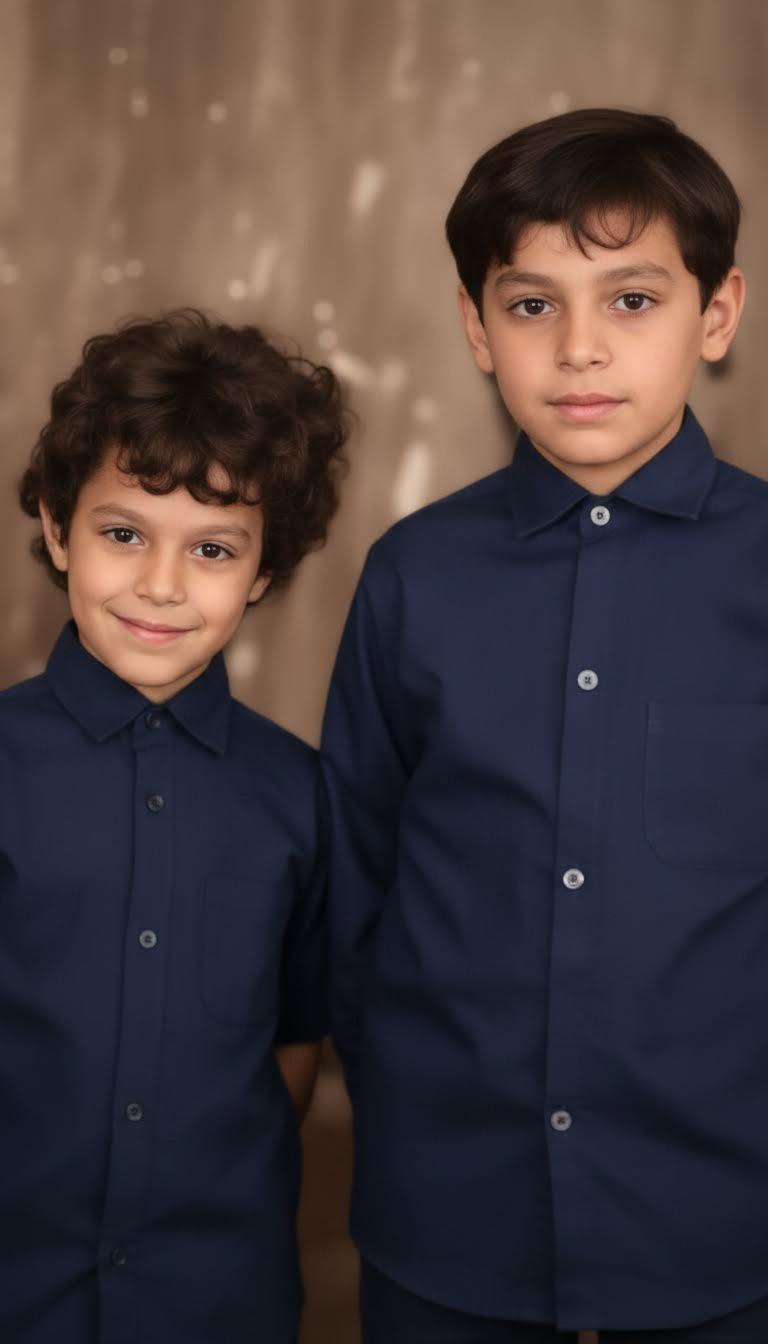
Imagens.app offers a state-of-the-art Old Photograph Restoration service powered by the "nano-banana-pro" AI model architecture. We understand that every scratch on an old photo covers a part of a story. Our mission is to uncover those stories by providing professional-grade restoration tools accessible to everyone. Whether it is a century-old family heirloom or a faded snapshot from the 80s, our technology treats every pixel with care, ensuring that the essence of the moment is preserved while the image quality is modernized for the digital age.
Models trained on varying historical periods for accurate texture and color reproduction.
Your uploaded photos are processed securely and are not used for public training without consent.
Upscale small scanned images to print-ready 4K resolution.
Choose from specific models for different types of damage or photo styles.
No waiting for manual editing; get results in seconds.
Advanced capabilities designed to tackle the most common and difficult photo preservation challenges.
Our proprietary algorithm doesn't just blur over scratches; it understands the underlying structure of the image to reconstruct missing information. Whether it is a crease across a face or a tear in the background, the AI analyzes surrounding pixels and texture patterns to fill in the gaps seamlessly. This feature is particularly effective for photos that have been folded or stored poorly for decades, effectively turning back the clock on physical damage.
Transforming a black and white image into color is more than just guessing shades. Our "nano-banana-pro" model analyzes the semantic content of the image—recognizing foliage, skin tones, textiles, and sky conditions—to apply realistic and historically appropriate colors. It accounts for lighting conditions and shadows, ensuring that the colorized result looks like a genuine color photograph taken at that moment, rather than a flat, painted-over image.
Industrial-strength processing for your personal archives.
Everything you need to know about restoring your photos.
Still have questions? Contact us at resend0@foxmail.com
See how we help people cherish their history.
"I restored my great-grandmother's portrait. The clarity is unbelievable; I can finally see her eyes clearly."

"The batch processing saved me weeks of work. The scratch removal is better than manual Photoshop work."

"I used this to colorize my parents' wedding photos. They cried when they saw them. Truly magical."

"The historical color accuracy is surprising. It got the military uniform colors exactly right."

"As a designer, I appreciate the resolution upscale. No artifacts, just clean lines."

"Fixed a torn photo of my late dog. It looks like it was taken yesterday. Thank you Imagens."

"Restored my childhood photos for a family reunion slide show. Everyone was amazed."

"The "nano-banana-pro" model handles texture incredibly well. Skin doesn't look waxy."

"I restored my great-grandmother's portrait. The clarity is unbelievable; I can finally see her eyes clearly."
"The batch processing saved me weeks of work. The scratch removal is better than manual Photoshop work."
"I used this to colorize my parents' wedding photos. They cried when they saw them. Truly magical."
"The historical color accuracy is surprising. It got the military uniform colors exactly right."
"As a designer, I appreciate the resolution upscale. No artifacts, just clean lines."
"Fixed a torn photo of my late dog. It looks like it was taken yesterday. Thank you Imagens."
"Restored my childhood photos for a family reunion slide show. Everyone was amazed."
"The "nano-banana-pro" model handles texture incredibly well. Skin doesn't look waxy."
"Fast and easy. I am not tech-savvy, but I restored 50 photos in an hour."

"I collect vintage postcards. This tool helps me clean them up for my digital catalog."

"The best AI restorer I have tried. Others distort faces, this one keeps them real."

"Worth every penny. The colorization brings so much emotion back to the images."

"I love that I can choose different models. The "Repair" mode is perfect for slight damage."

"Restored a water-damaged photo that I thought was lost forever. Highly recommended."

"Simple interface, powerful results. My grandparents were thrilled."

"Fast and easy. I am not tech-savvy, but I restored 50 photos in an hour."
"I collect vintage postcards. This tool helps me clean them up for my digital catalog."
"The best AI restorer I have tried. Others distort faces, this one keeps them real."
"Worth every penny. The colorization brings so much emotion back to the images."
"I love that I can choose different models. The "Repair" mode is perfect for slight damage."
"Restored a water-damaged photo that I thought was lost forever. Highly recommended."
"Simple interface, powerful results. My grandparents were thrilled."
Don't let your memories fade away. Restore and preserve them forever.
Professional Quality · Secure & Private