Anime Image Generator from Prompt – Turn Text into Anime Art in Seconds
Creating anime-style visuals no longer requires drawing skills or complex software. With an Anime Image Generator from Prompt, you can turn a simple text description into anime art in seconds. Below are ready-to-use prompt examples, followed by a complete guide on how to get consistent, high-quality anime images from text.
- Five proven anime prompts you can copy and reuse
- How prompt-based anime generation works
- Tips to improve quality, consistency, and cost control
Ready-to-Use Anime Prompts (With Image Examples)
These prompt shortcuts are designed for common anime scenarios. Each one includes a suggested image placement so you can preview the result and understand how the prompt translates into anime art.
🌸 Cherry Blossom Heroine
anime girl, long black hair, white dress, under cherry blossoms, golden hour,
soft cel shading, clean lineart, cinematic lighting, shallow depth of field,
high detail, no text, no watermark
🌃 Cyberpunk City
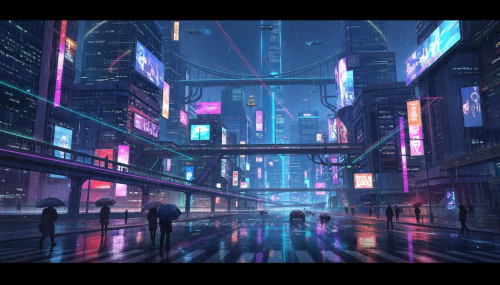
anime cyberpunk city at night, neon lights, rain, reflections,
cinematic wide shot, vibrant colors, detailed background,
sharp focus, soft cel shading, no text, no watermark
🧙 Fantasy Mage
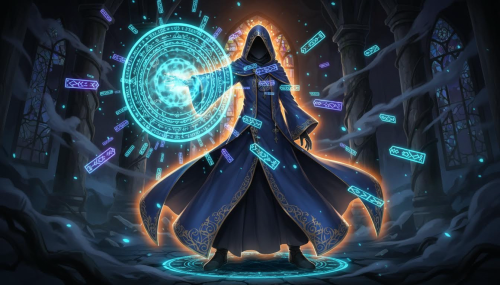
anime mage, blue cloak, glowing magic circle, floating runes,
dramatic rim light, dark fantasy atmosphere,
ultra detailed, clean lineart, no text, no watermark
🏫 School Scene
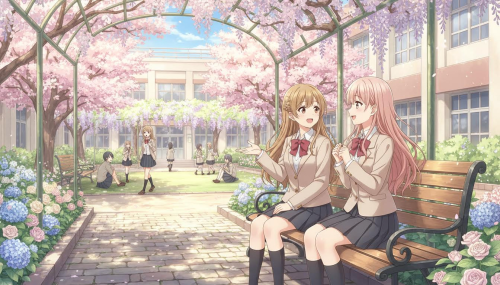
anime school courtyard, two friends chatting, warm sunlight,
gentle pastel palette, soft cel shading, clean lineart,
slice of life, high detail, no text, no watermark
🐉 Dragon Companion
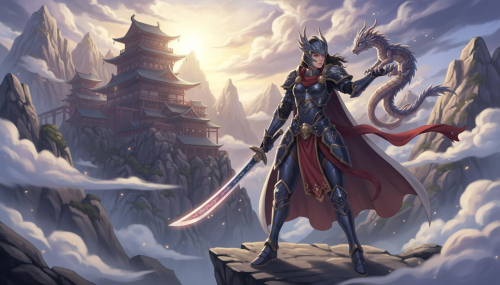
anime warrior with a small dragon companion, mountain temple background,
dramatic clouds, cinematic lighting, detailed armor,
soft cel shading, high detail, no text, no watermark
What Is an Anime Image Generator from Prompt?
An anime image generator from prompt is a text-to-image AI tool designed to create anime-style illustrations based on written descriptions. Instead of drawing manually, you describe the character, environment, style, and mood, and the AI generates the image for you.
What makes this workflow powerful is control. You can choose the AI model, aspect ratio, pixel size, and number of images before generating, which makes the result more predictable and useful for real projects.
Why Prompt-Based Anime Generation Is So Popular
Anime visuals are widely used for avatars, thumbnails, game concepts, story illustrations, and marketing materials. Prompt-based generation allows creators to move faster without sacrificing visual quality.
- Fast: Generate anime art in seconds
- Accessible: No drawing skills required
- Iterative: Refine results by editing text, not redrawing
How to Get Better Results from Anime Prompts
Strong prompts are specific but not overloaded. Focus on subject, scene, style, and lighting. If the output feels wrong, adjust one element at a time.
Common Mistakes to Avoid
- Using vague words like “cool” or “nice”
- Changing too many prompt details at once
- Forgetting to set aspect ratio before generating
- Expecting readable text inside images
Quick Checklist Before You Generate
- Clear subject and environment
- Lighting and mood specified
- Correct aspect ratio selected
- Added “no text, no watermark”
With the right prompt and settings, an Anime Image Generator from Prompt becomes a fast, repeatable way to turn text into anime art. Start with the examples above, tweak them to match your idea, and generate anime images in seconds.
Table of Contents
Information
- Hits314
- Published date2026/01/23