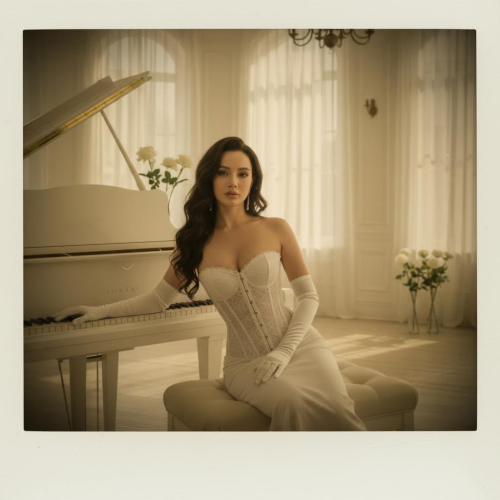
Vintage Film Look, Crafted by AI

Convert Photo to Vintage Style – Film Grain, Fade, and Retro Tones in Seconds

Upload a photo, describe the era and mood, pick your model + aspect ratio + resolution, then generate a believable vintage edit that keeps faces and details natural.

For Creators: consistent film look across postsFor Brands: detail-safe, high-res outputsFor Photographers: subtle grading, not distortion
What it will NOT do
Reduce risk before you generate
× Not change face shape
× Not cartoonize your photo
× Not over-filter details
Convert Photo to Vintage Style Online with AI (No Filter, Real Film Look)
Model tip: fast = draft / social / testing · pro (nano-banana-pro) = faces / skin / print / brand use · View pricing & credits
Upload Photo + Describe the Era
Film mood, grain, fade
Choose Model + Output Settings
Aspect ratio & resolution
Generate + Refine in Minutes
Pick the most authentic edit
Upload
0/10000
加载中...
nano-banana-v1-fast30 Credits
💡 Credits are deducted per generation and vary by model + output settings.

Result Gallery

Auto-saved

No Creation Yet

Please submit the form to begin your new creation.

My Creations

Why Choose Imagens.app to Convert Photos to Vintage Style?

Imagens.app helps you turn a modern photo into a believable vintage image without the “over-filtered” look. Pick an AI model, set your aspect ratio and resolution, and generate edits that keep faces, textures, and key details intact while adding film-grade color, grain, fade, and retro lighting that feels authentic.

Authentic Film Aesthetics

Believable vintage results.

Authentic Film Aesthetics

Get vintage tones that look like real film: gentle fade, natural contrast, subtle grain, and warm highlights—without destroying skin tones or flattening detail.
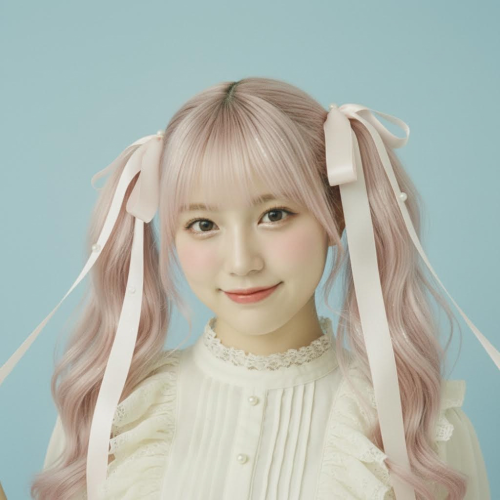
Photo-Friendly Preservation

Human details stay real.

Photo-Friendly Preservation

Our workflow is built for photo edits: keep faces recognizable, maintain texture, and avoid plastic smoothing while still adding a cohesive retro grade.
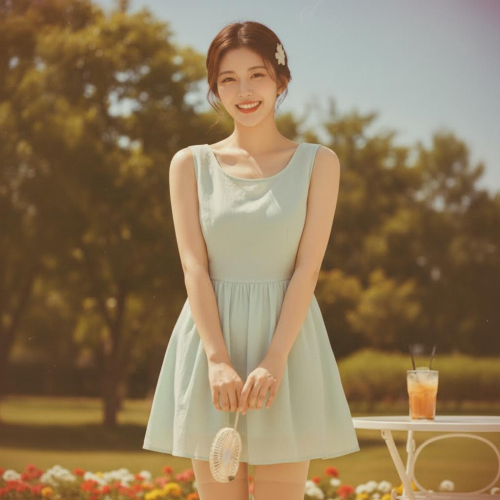
Control + Speed

Dial in the exact look.

Control + Speed

Choose model, aspect ratio, and resolution, then generate fast. Iterate with small prompt tweaks to match a specific era (Kodachrome, Polaroid, disposable camera).

How to Convert a Photo to Vintage Style with AI

A simple workflow: describe the look, pick your settings, then generate a vintage edit you can download and share.

1

Upload + Describe the Vintage Look

Start with your photo, then write what you want: era, film stock vibe, color mood, grain strength, fade level, and any details to preserve (faces, brand colors, text).

2

Choose Model, Aspect Ratio, Resolution

Pick the AI model for your quality/speed tradeoff, select the aspect ratio for your platform, and set resolution based on your export needs. Higher-quality models cost more credits but preserve faces and fine details better—see pricing at /pricing.

3

Generate, Compare, Refine

Generate your vintage edit, compare variations, and refine with small prompt edits like “more subtle grain” or “slightly warmer highlights” until it matches your target look.
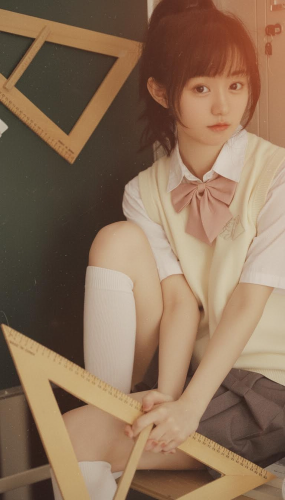
Create Your Sticker

About Imagens.app - Convert Photo to Vintage Style

Imagens.app is a fast, modern way to convert photos to vintage style with AI. Instead of applying a single generic filter, you describe the era and mood you want, then choose an AI model, aspect ratio, and resolution. The result is a vintage edit that feels like film: soft contrast, natural color shifts, subtle grain, and believable lighting—while keeping faces and important details intact. Use it for social content, brand campaigns, travel memories, or print-ready retro visuals.

Era-Driven Styling

Prompt by decade, film stock vibe, and lighting to get a cohesive retro grade.

Detail-Safe Editing

Designed to keep faces, textures, and key elements natural.

Flexible Outputs

Choose aspect ratio and resolution for web, social, or print.

Commercial Friendly

Use your outputs in content and campaigns when generated with paid credits.

Fast Iteration

Generate variations quickly to match your exact reference look.

Key Features for Vintage Photo Conversion

Built for creators who want a real film look with modern control.

Authentic Film Look, Not a Generic Filter

Instead of forcing one “vintage” preset on every photo, you can describe the exact film vibe you want: faded 1970s color, warm sepia portrait, disposable camera flash, Polaroid softness, light leaks, or subtle vignette. Because you control the prompt plus model choice, the output can stay tasteful and realistic—skin tones remain believable, shadows keep depth, and grain looks like film texture rather than digital noise. This makes it suitable for personal photos, brand content, and editorial visuals where “retro” needs to look intentional, not gimmicky.
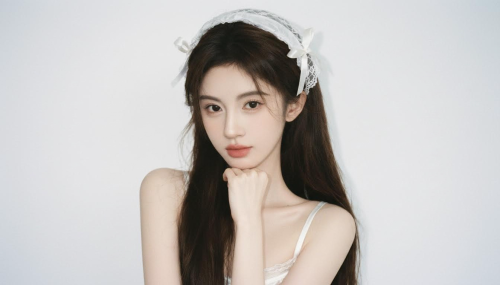
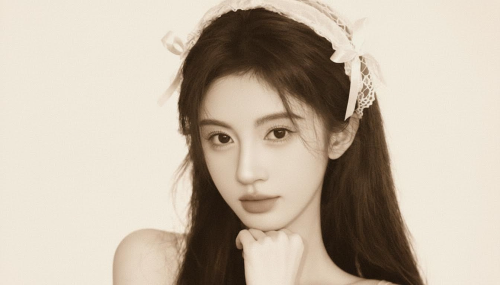
Authentic Film Look, Not a Generic Filter
Resolution + Aspect Ratio Control for Real Deliverables

Resolution + Aspect Ratio Control for Real Deliverables

Vintage edits often fail when you try to reuse them across platforms or print them. Here you pick your aspect ratio and resolution up front, so the result is ready for where you’ll use it—Instagram posts, stories, thumbnails, banners, or higher-resolution exports for prints and marketing assets. You can also iterate quickly: generate a subtle version for portraits, a stronger grain version for street photos, or a cleaner “retro color grade” for product shots while keeping details sharp and readable. Credits are deducted based on the model and settings you choose.

Performance for Fast Vintage Edits

Quick iterations without sacrificing the film look.

~ 20-60sSpeed
Ratio + resolutionExport Options
10k+ Users

Frequently Asked Questions

Common questions about converting photos to vintage style with AI.

What does “Convert Photo to Vintage Style” mean?
It means using AI to apply a film-inspired grade to your photo: gentle fade, warm or muted colors, realistic grain texture, subtle vignette, and retro lighting like light leaks or soft highlights. The goal is a believable vintage photograph—not a harsh overlay. You can specify the era (1950s, 1970s, 1990s), a mood (nostalgic, dreamy, documentary), and how strong the effect should be. You choose model, aspect ratio, and resolution before generating, so the output is created for your intended use and priced based on the selected model and settings.
Will the AI keep faces recognizable and details sharp?
In most cases, yes—if you prompt for preservation. Add instructions like “preserve facial features”, “keep identity”, “do not change the person”, and “keep text readable” when needed. Vintage looks should come from color grading, grain, and lighting—not from reshaping the subject. For best results, use a well-lit source photo and avoid extreme blur. If the output drifts, regenerate with a more specific prompt or switch to a model that prioritizes realism. Credits are deducted per generation, and the cost can vary by model and resolution.
What prompt should I use for a realistic film look?
Start with: “Convert this photo to a vintage film look” then add era + characteristics. Example: “1970s faded film, warm highlights, slightly lifted blacks, subtle grain, soft contrast, no heavy sharpening, preserve skin texture.” If you want a specific vibe, add film references like “Kodachrome-like colors” or “disposable camera flash”. If you want framing changes, specify aspect ratio in the settings rather than asking the model to crop unpredictably. Each generation uses credits, and higher-quality models may cost more.
Can I make different vintage styles (sepia, Polaroid, light leaks)?
Yes. Describe the exact style you want. Sepia: ask for “sepia tones, gentle contrast, paper-like warmth.” Polaroid: ask for “Polaroid frame, slight softness, warm white balance, mild vignette.” Light leaks: ask for “subtle light leak, not overpowering, film texture.” You can also request “dust specks” or “film scratches” but keep them subtle so the image stays premium. If you’re editing portraits, always include “natural skin tones” and “preserve facial details.” Credits are charged per run based on the model and settings you choose.
How do model choice, aspect ratio, and resolution affect the result?
Model choice affects realism, style strength, and consistency. Some models produce a stronger “artistic” vintage look, while others keep photos closer to the original with subtle grading. Aspect ratio controls framing for your platform (square, portrait, landscape). Resolution matters for clarity, small details, and print readiness. If you want a strong film grain that still looks clean, choose a higher resolution and a model known for detail. Higher-quality models typically cost more credits but preserve faces and textures better; check /pricing for credit costs by model.
Is this a free vintage photo converter?
No—generation is credit-based. You can choose different AI models, and each model has its own credit cost. Output settings like resolution can also affect how many credits a generation uses. This approach keeps quality consistent and allows you to pick faster, cheaper options for quick drafts and higher-quality options when you need a final deliverable. If you’re testing a look, start with a lower-cost model and moderate resolution, then switch to a higher-quality model for your final export once you’ve refined the prompt and style strength.
Can I use the vintage images commercially?
Commercial usage depends on the credits/plan you use and the model’s licensing terms in the app. In general, outputs generated using paid credits are intended for practical use in content creation, marketing, and design workflows. If you’re creating assets for a brand campaign or paid advertising, keep the edit subtle and realistic, and avoid using copyrighted references in your prompt. When in doubt, generate your own original look (“1970s warm film grade”) rather than naming a protected brand style. Credits are deducted per generation based on model and output settings.
How do I avoid an over-processed “filter” look?
Keep the effect restrained. In your prompt, specify “subtle grain”, “gentle fade”, “natural skin tones”, and “do not oversaturate.” Avoid stacking too many effects at once (heavy scratches plus strong light leaks plus deep vignette). If you want authenticity, ask for “film grain texture, not digital noise.” Also, match the style to the scene: a street photo can handle more grain, while a portrait often looks best with a lighter touch. Generate multiple variations and pick the most believable one. Each variation costs credits depending on model and settings.
What file type should I download for the best quality?
For most uses, PNG is a safe choice for clean exports and minimal compression artifacts, especially if you plan to edit further. If you need smaller files for web, JPG may be more compact, but heavy grain and subtle gradients can compress poorly. If your workflow includes additional retouching, download the highest resolution you can justify, then resize for platforms after. The right choice depends on your destination: social media, web banners, or print. Remember that credits vary by model and resolution, so choose settings that match your final output needs.
How is pricing calculated for vintage photo generation?
Pricing is based on credits, and the exact credit cost depends on the AI model you select and the output settings you choose (such as resolution). Higher-quality models generally cost more because they require more compute, but they often deliver better detail retention and more natural film texture. If you’re iterating, you can start with a faster model to explore prompts, then switch to a premium model for the final render. Each time you click Generate, credits are deducted according to the selected configuration, so you stay in control of cost versus quality. See /pricing for credit packages and per-model costs.

Still have questions? Contact us at resend0@foxmail.com

User Reviews

What creators are saying about our vintage photo converter.

"The vintage film look feels natural, not like a heavy filter. Great for Instagram."

Sophie Martin
Content Creator

"Grain looks like real film texture and the faces stayed recognizable."

Ethan Brooks
Photographer

"I can match a retro campaign mood fast by tweaking era and warmth."

Maya Patel
Brand Designer

"Polaroid-style edits are my favorite. The framing and tones are spot on."

Lucas Nguyen
Travel Blogger

"Aspect ratio + resolution control saves time. I export ready-to-post versions."

Hannah Cooper
Social Media Manager

"The subtle fade and warm highlights make product photos feel premium retro."

Noah Kim
Product Marketer

"I use a gentle film grade for portraits and it keeps skin tones believable."

Ava Johnson
Wedding Editor

"Fast iterations. I generate three variations and pick the most authentic one."

Daniel Chen
YouTuber

"The vintage film look feels natural, not like a heavy filter. Great for Instagram."

Sophie Martin
Content Creator

"Grain looks like real film texture and the faces stayed recognizable."

Ethan Brooks
Photographer

"I can match a retro campaign mood fast by tweaking era and warmth."

Maya Patel
Brand Designer

"Polaroid-style edits are my favorite. The framing and tones are spot on."

Lucas Nguyen
Travel Blogger

"Aspect ratio + resolution control saves time. I export ready-to-post versions."

Hannah Cooper
Social Media Manager

"The subtle fade and warm highlights make product photos feel premium retro."

Noah Kim
Product Marketer

"I use a gentle film grade for portraits and it keeps skin tones believable."

Ava Johnson
Wedding Editor

"Fast iterations. I generate three variations and pick the most authentic one."

Daniel Chen
YouTuber

"The interface feels straightforward: prompt, model, ratio, resolution, done."

Grace Lee
UX Designer

"Vintage edits helped my listings stand out without looking gimmicky."

Oliver Brown
E-commerce Owner

"I turned my phone photos into a 90s disposable camera style. Love it."

Chloe Wilson
Student

"Light leaks are tasteful and controllable with the prompt."

Jackson Davis
Creative Director

"Great for retro ad mockups. The colors feel cohesive across a set."

Lily Thompson
Marketing Lead

"The “keep identity” prompting works. My team photos stayed consistent."

Henry White
Community Manager

"I can push it dreamy or keep it subtle. Both look high quality."
Zoe Martinez
Artist

"The interface feels straightforward: prompt, model, ratio, resolution, done."

Grace Lee
UX Designer

"Vintage edits helped my listings stand out without looking gimmicky."

Oliver Brown
E-commerce Owner

"I turned my phone photos into a 90s disposable camera style. Love it."

Chloe Wilson
Student

"Light leaks are tasteful and controllable with the prompt."

Jackson Davis
Creative Director

"Great for retro ad mockups. The colors feel cohesive across a set."

Lily Thompson
Marketing Lead

"The “keep identity” prompting works. My team photos stayed consistent."

Henry White
Community Manager

"I can push it dreamy or keep it subtle. Both look high quality."

Zoe Martinez
Artist
Film Look, Fast

Convert Your Photo to aVintage Style

Create authentic retro edits with film grain, fade, and warm tones—ready for social, brand, and print use.

Credit-based pricing · Cost varies by model and settings