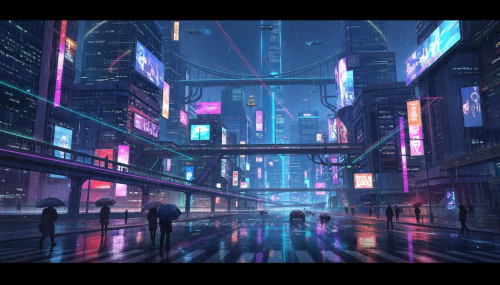
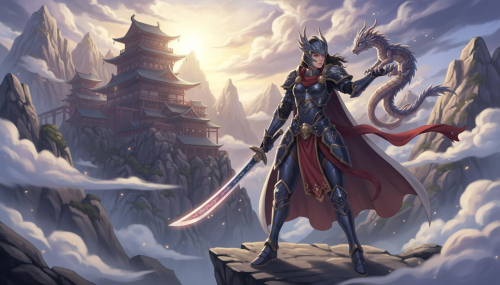
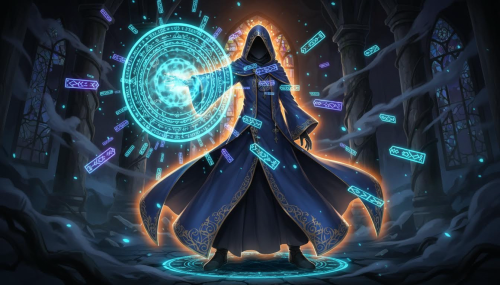
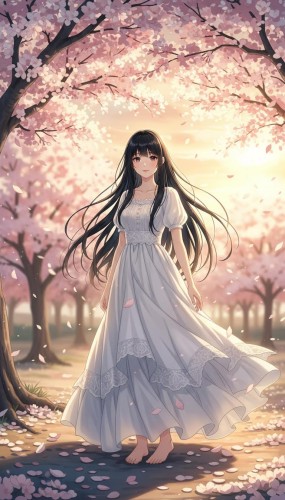
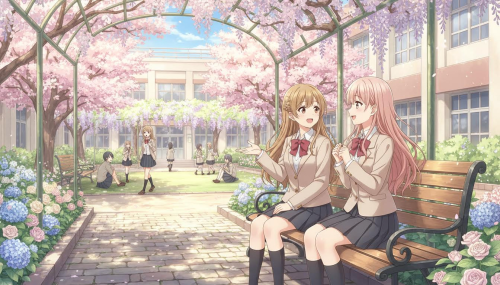
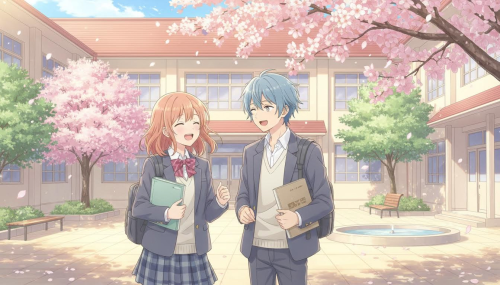
Anime Image Generator from Prompt – Turn Text into Anime Art in Seconds
Type a prompt, choose an AI model, set aspect ratio and pixel size, then generate one or multiple anime images. Credits are deducted based on the model you select.
Why Choose Imagens.app for Anime Image Generation from Prompt?
Imagens.app is built for fast, controllable prompt-to-anime generation. You type a prompt, select an AI model that matches your budget and quality target, choose aspect ratio and pixel size, then generate anime images that keep the style you asked for. Because credits are deducted by model, you can prototype quickly with a lower-cost model and switch to a premium model only when you are ready to export a final anime illustration.
Better prompts = better anime images.
Prompt-to-Anime Fidelity
Get anime art that follows your prompt: character, outfit, pose, background, mood, and style keywords. Use clear nouns and visual adjectives, and the generator will translate your text into a coherent anime illustration you can iterate on fast.
Prototype cheap, finish premium.
Model Choice & Cost Control
Pick the right AI model for your task. Draft ideas with a faster, cheaper model, then switch to a higher-quality model for final rendering. Credits are deducted based on the model you select, so you stay in control of cost without sacrificing results.
Sized for X, Instagram, YouTube, and more.
Aspect Ratio & Pixel Size Control
Generate anime images in the exact format you need: square avatars, vertical posters, landscape covers, or social headers. Choose your aspect ratio and pixel size so the composition and framing match your target platform before you spend credits on multiple images.
How to Generate Anime Images from a Prompt
Create anime art from text in three simple steps: write a clear prompt, choose model + size, and generate multiple variations until it matches your vision.
1
Write a Strong Anime Prompt
Describe subject + scene + style. Example: “anime girl with short silver hair, rainy neon street, soft cel shading, cinematic lighting, ultra detailed”. Add camera hints (close-up, wide shot) and mood (warm, melancholic) for better composition.
2
Select AI Model, Aspect Ratio, and Pixel Size
Choose an AI model that fits your goal and budget, then set aspect ratio and pixel size for your platform. This prevents awkward cropping and helps keep the anime framing consistent across generations.
3
Generate, Compare, and Iterate
Click Generate to create one or multiple anime images. If you want closer results, refine the prompt: specify outfit details, background elements, color palette, and “no text, no watermark”. Then generate again until it looks right.
About Imagens.app – Anime Image Generator from Prompt
Imagens.app is an anime image generator from prompt designed for creators who want speed and control. You type a prompt, pick an AI model, set aspect ratio and pixel size, then generate anime-style images you can download and reuse. From character concepts and profile pictures to posters and thumbnails, Imagens.app helps you iterate quickly while keeping credit spending predictable through model-based pricing.
Model-Based Pricing
Credits are deducted based on the AI model you choose, so you can balance cost and quality per project.
Format Control
Choose aspect ratio and pixel size before generating to match real use cases like avatars, banners, and posters.
Fast Iteration
Generate multiple variations from the same prompt and refine details in seconds.
Creator-Friendly Output
Download clean results and reuse prompts as a repeatable workflow for consistent anime style.
Simple UI
No design tools required: prompt in, anime image out—ready to share or edit further.
Key Features of Our Anime Image Generator from Prompt
Everything you need to turn text prompts into anime art with control over style, format, and budget.
Multi-Model Anime Rendering
Choose the AI model that fits your workflow. When you are exploring ideas, a faster model lets you iterate quickly and keep costs low. When you are ready to polish an illustration, switch to a higher-quality model for cleaner linework, better facial features, and stronger prompt adherence. Because credits are deducted per model, you do not overpay during experimentation, and you can reserve premium generations for final output. This makes the anime image generator from prompt practical for both hobby creators and professional content pipelines.
Prompt Helpers for Better Composition
Great anime art starts with a great prompt. The generator works best when your prompt includes subject, setting, lighting, camera framing, and style cues (for example: “soft cel shading”, “clean lineart”, “cinematic lighting”). Use “no text, no watermark” to reduce unwanted overlays, and add color palette hints for consistency across versions. By refining your prompt in small steps, you can steer the anime image generator from prompt toward the exact mood you want without random results or wasted credits.
Performance for Fast Prompt-to-Anime Creation
Generate anime images quickly, then scale quality up when you are ready to export.
< 60sTypical Speed
Multi-RatioFormats
10k+ Creators
Anime Image Generator from Prompt FAQ
Practical answers about prompts, models, sizes, credits, and getting consistent anime results.
What is an anime image generator from prompt?
An anime image generator from prompt turns your text description into anime-style art. You describe the character, scene, lighting, and style, then the AI model generates an illustration that matches those instructions. On Imagens.app you also control the aspect ratio and pixel size, so your output fits real use cases like avatars, posters, thumbnails, or banners. This makes prompt-to-anime generation less random and more production-ready.
How do I write a good prompt for anime art?
Start with subject + key details + environment. Example: “anime boy, messy black hair, school uniform, rainy street, neon reflections, soft cel shading, cinematic lighting, 35mm, high detail”. Add mood words (warm, dramatic), camera framing (close-up, full body), and quality constraints like “no text, no watermark”. Keep it specific but not overloaded; iterate one change at a time to see what improves the result.
Which AI model should I choose?
Choose based on your goal: use a faster, lower-cost model to brainstorm compositions and character ideas, then switch to a higher-quality model when you need cleaner linework, better faces, and stronger prompt adherence. Because credits are deducted based on the model you select, model choice is also a cost lever. A good workflow is: draft 3–6 variations cheaply, pick the best direction, then re-generate with a premium model for the final anime image.
How are credits deducted?
Credits are deducted per generated image and depend on the AI model you choose. Some models may also offer different pixel sizes, where larger outputs can cost more. Imagens.app shows the credit cost in the model selector before you generate, so you can decide whether to run one image for refinement or multiple images for exploration. This model-based pricing makes it easier to control budget compared with a fixed, one-price tool.
What aspect ratio and pixel size should I use?
Pick the ratio based on destination: 1:1 for profile photos, 3:4 for posters, 16:9 for YouTube or cover images, 9:16 for short videos and stories. Then choose a pixel size that fits your needs: smaller sizes for fast iteration, larger sizes for final publishing. Selecting size before generating helps the AI compose the scene correctly and avoids losing important details when you crop or resize later.
Can I generate multiple images from one prompt?
Yes. Set the number of images, then generate multiple variations at once. This is useful because prompt-to-anime generation can produce different compositions even with the same text. Compare the results, keep the best, and refine the prompt based on what you like: adjust pose, background, color palette, or lighting. Generating in batches is one of the fastest ways to reach a satisfying anime illustration without endless trial-and-error.
How do I keep the same character consistent?
Write a stable character “profile” in your prompt: hair style and color, eye color, outfit, accessories, age range, and any defining marks. Then keep that part unchanged while you vary only one or two scene elements at a time. If the character drifts, add more concrete details (for example: “short bob haircut”, “blue ribbon”, “black choker”) and remove ambiguous words. Consistency comes from specificity and controlled iteration.
How do I avoid text and watermarks in outputs?
Include constraints like “no text, no watermark, no logo, no signature” in your prompt. If you still see artifacts, reduce any wording that implies posters, typography, or UI overlays, and keep the scene purely illustrative. When generating thumbnails or banners, you can add your own text later with design tools, which gives you better control than hoping the AI writes readable, correct text. This workflow produces cleaner anime images for reuse.
Do I own the anime images I generate?
In most cases, the practical expectation is that you can download and use what you generate, especially when you use paid credits. However, usage rights can depend on the model provider and the plan you are on. Imagens.app focuses on creator-friendly generation and clear credit usage; if you need strict commercial licensing, use paid credits and follow the platform terms for your account. Keep your prompts and exports as part of your workflow for repeatability.
How do I get higher-quality anime results quickly?
Use a two-stage process: first, generate several drafts with a cheaper model to lock composition and character design. Second, switch to a higher-quality model and increase pixel size for the final. In your prompt, add style anchors such as “clean lineart”, “soft cel shading”, “anime illustration”, and lighting cues like “rim light” or “golden hour”. Finally, remove vague words and keep only details you truly want to see.